x
c r y p t o b a N k
  • Dubai international city, England cluster X13
  • 9am to 5pm, Sun Holiday
logo

1

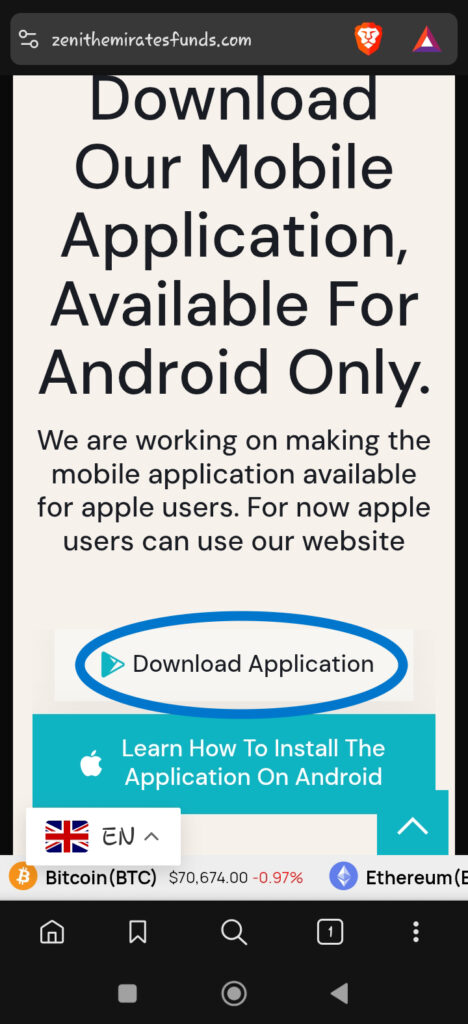
Visit our Homepage and scroll till you find the “Download application” button and click it. 

2

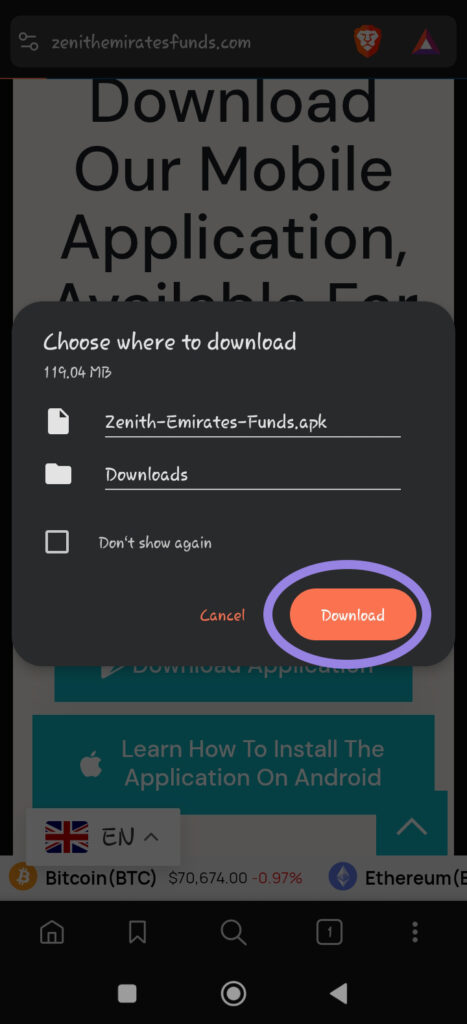
Select the file location if needed, then click the Download button

3

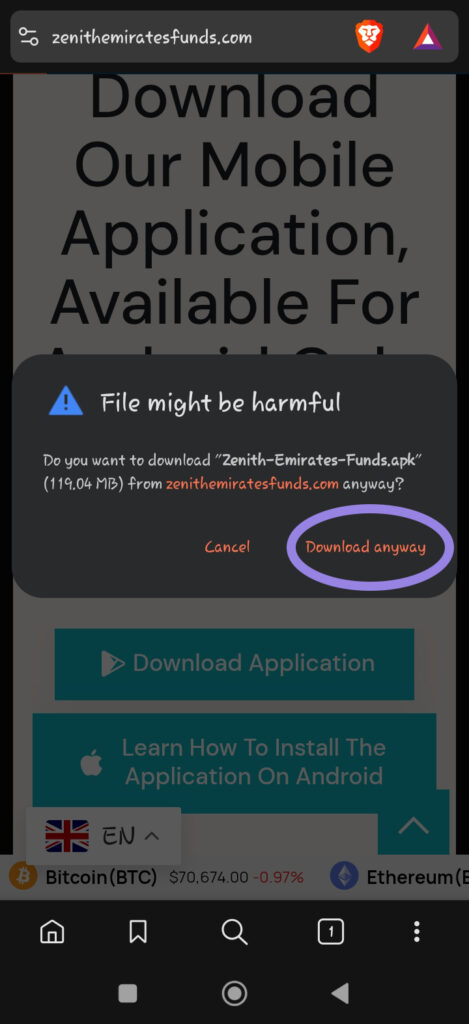
You will receive a warning when downloading the application. Click on “Download anyway”

4

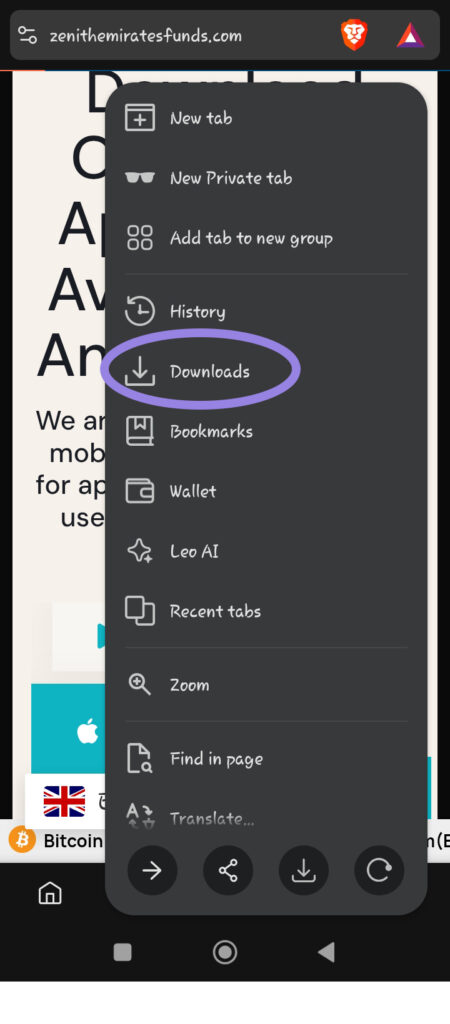
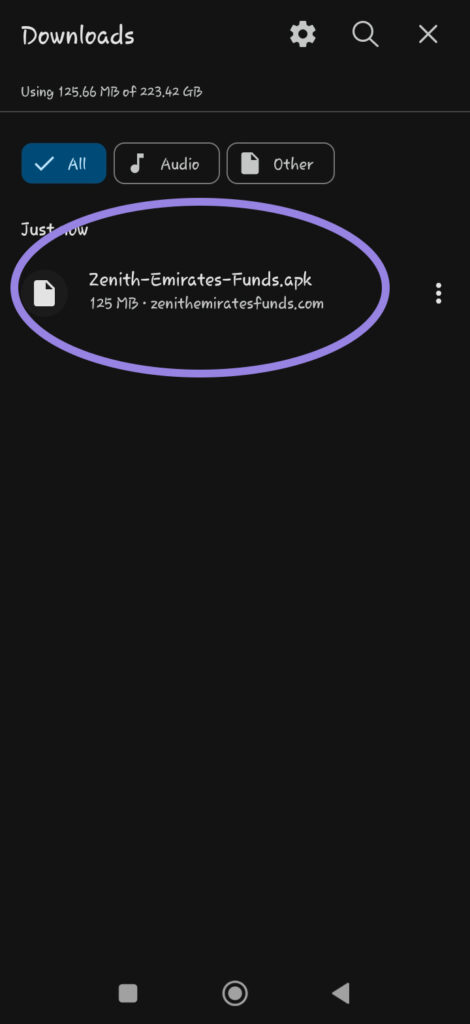
In your browser, locate “Downloads” in order to monitor the progress of the download. You can also check form your notification panel to view the  download status.

5

Once the download is complete, Click on the downloaded application to install

6

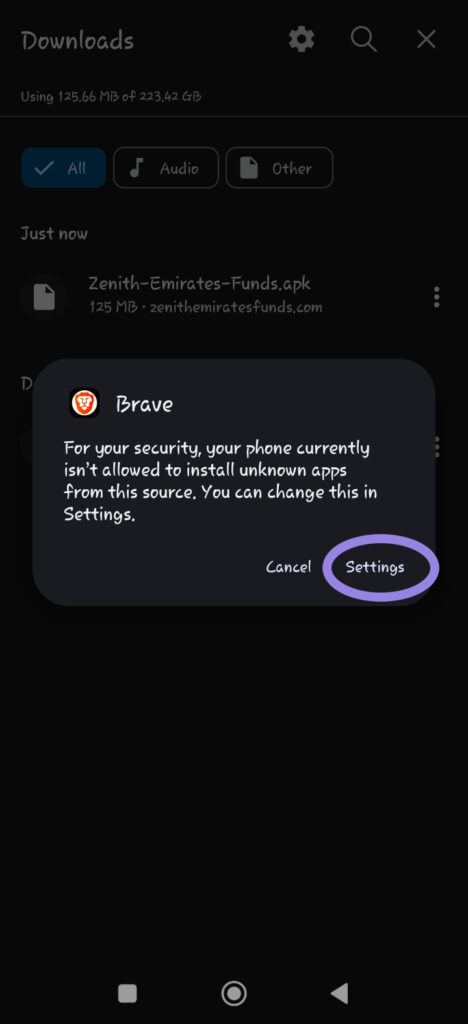
Incase you receive this pop-up, click on settings and follow the next instruction.

7

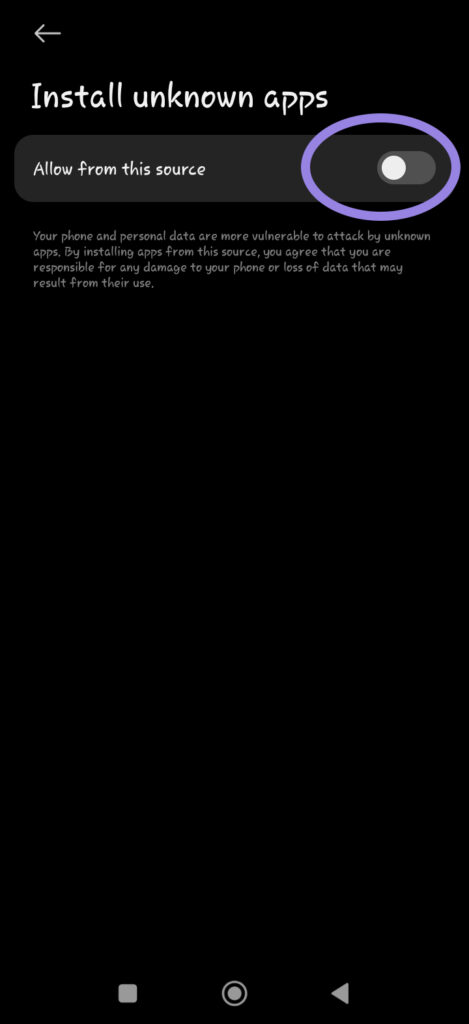
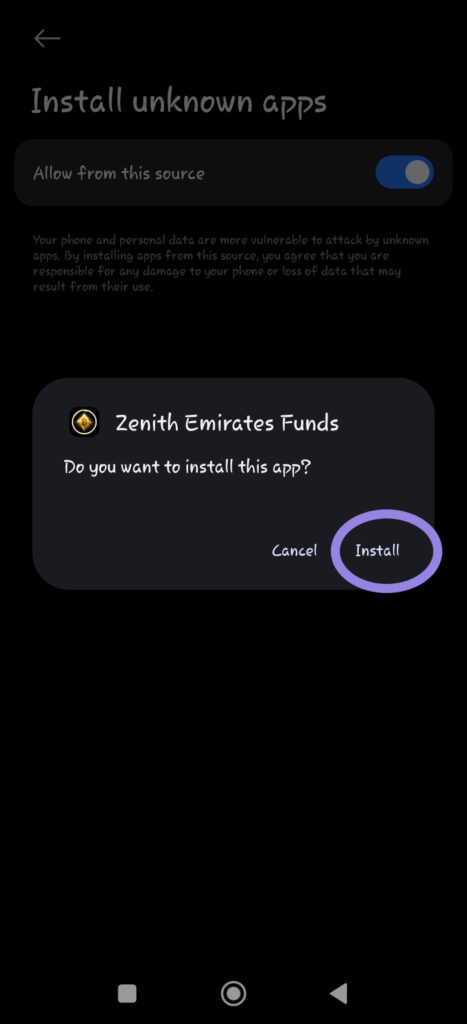
Click on the toggle which says “allow form this source

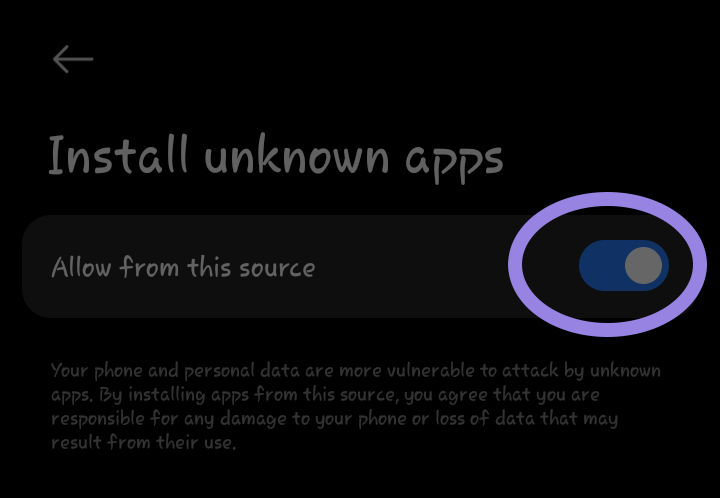
Now the toggle should appear as such 

8

Click on “install

9

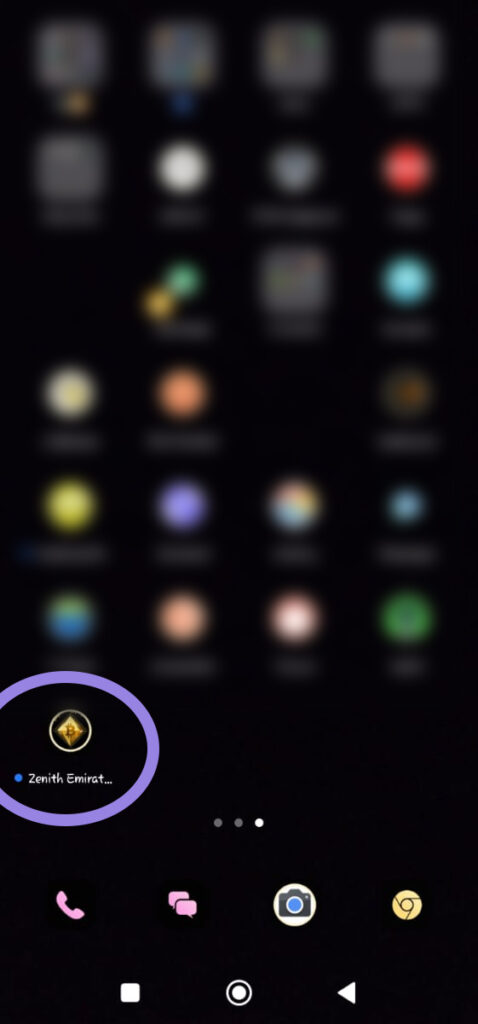
Once the installation is complete, go to your applications and open the newly installed app

You cannot copy content of this page